Web app · Music & audio
Interval Ears: train your ear to recognize musical intervals
Listen to pairs of notes and name the interval. Unlock new intervals as you level up, and watch your accuracy improve for each one.
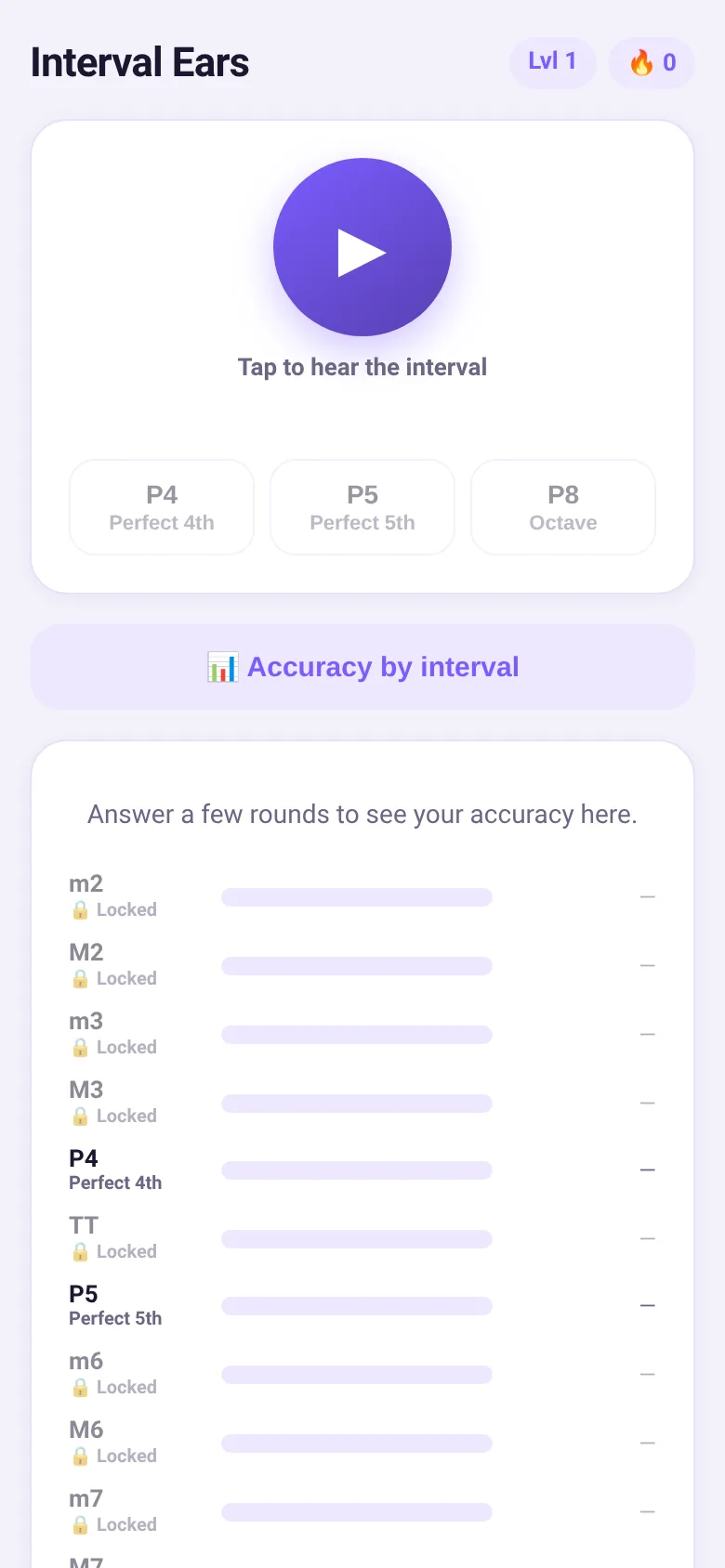
Learning to hear intervals is core to developing musicianship, but drilling intervals by hand is tedious. Interval Ears plays two-note pairs and asks you to name what you hear. It starts simple with a few intervals and adds more as you demonstrate accuracy, turning the challenge into a progression system. Your accuracy for each interval type stays visible so you can spot what needs work.
What it does
The app plays two notes in sequence, then shows you a menu of intervals to choose from. Tap the one you heard. If you are correct, your streak grows and the app tracks your accuracy. Every eight attempts, if you got at least six right, you advance a level and unlock a new interval. You can replay each question before answering, and a statistics panel shows your hit rate for every interval, including locked ones you have not yet seen.
Key features
- Progressive levels Start with two intervals and unlock one more each time you hit 75% accuracy over eight attempts, up to all twelve intervals at level ten.
- Per-interval accuracy chart A statistics panel displays your correct-answer count and percentage for each interval, updated after every round.
- Streak tracking A live streak counter shows consecutive correct answers; it resets on any mistake.
- Replay and random root notes Tap the play button to hear each interval again, and the app randomizes the starting note so you train across the whole range.
- Local progress save Your level, streak, and accuracy data stay saved in your browser so you pick up where you left off.
How to use it
- Tap the play button to hear the interval.
- Tap play again if you want to hear it a second time before answering.
- Tap one of the interval buttons to submit your guess.
- Watch your accuracy on the chart; improve weak intervals by practicing them.
- Reach 75% accuracy in any eight-attempt window to level up and unlock a new interval.
Who it’s for
Musicians and music students who want to sharpen interval recognition. It suits anyone from beginner to intermediate level who has time for short training sessions.
The app’s share card (1200×630)
Questions and answers
How do I start?
Tap the play button to hear your first interval, then tap one of the interval names to guess what you heard.
Does the app save my progress?
Yes. Your level, streak, and accuracy for each interval save automatically to your browser, so you can close and return anytime.
What intervals does the app teach?
It covers all twelve semitone intervals from minor 2nd to octave. You unlock them gradually: start with a few, and add one more each time you advance a level.
Can I use this on my phone?
Yes, it works on any phone or tablet with a web browser and speaker or headphones.
More music & audio apps
- Community Beat · साझा बीट बनाएँ: स्टेप दबाएँ, डीजे प्रीसेट चुनें, और सब मिलकर संगीत तैयार करें। वीडियो में एक्सपोर्ट करें।
- Community Beat · Tap drum steps on a shared 16-step beat that everyone editing it hears together. Load DJ presets, mute and solo tracks, export video or audio.
- Haunted Beat · A shared drum machine where everyone taps the grid together to build beats. Dancing pumpkins groove to the rhythm you create.
- Community Beat · Coloca casillas en pistas de batería y escucha el patrón que todos construyen juntos en tiempo real. Exporta tu sesión como video o audio.
- Chord Charts · Pick a root note and chord type to see a fretboard diagram with finger positions. Build common song progressions step by step.
- ABC Explorer · Swipe through big letter cards with emoji words, then play a game to find matching letters. For children learning their ABCs.