Mobile app · Social & party
Icebreakers: swipe through questions to spark conversation
Explore four decks of icebreaker questions organized by mood, swipe to move through them, and bookmark favorites.
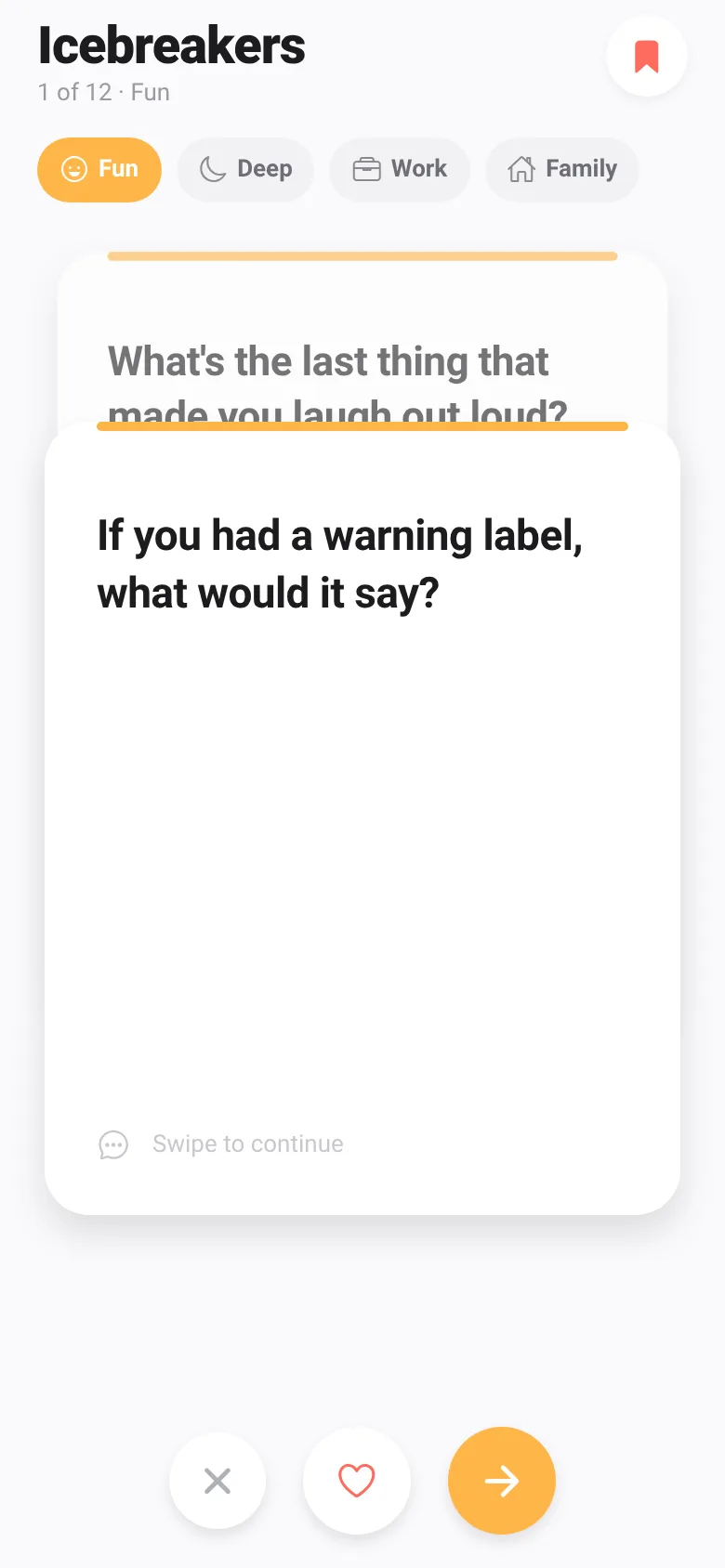
When a conversation stalls at a party, team meeting, or family gathering, you need a good question fast. Icebreakers gives you dozens of conversation starters organized into four moods: Fun (silly, imaginative), Deep (meaningful, reflective), Work (career and motivation), and Family (memories and values). Swipe through the cards at your own pace, save questions you love, and return to them anytime.
What it does
Open the app and pick a category with the tabs at the top. Each card shows one icebreaker question. Swipe left or right on the card to move to the next question, or tap the arrow and skip buttons below. Tap the heart button to save a question to Favorites; a badge on the bookmark icon shows your total saved. When you run out of questions, reshuffle the deck to go through them again in a new random order.
Key features
- Four question categories Fun, Deep, Work, and Family decks each contain a dozen unique icebreakers matched to different settings.
- Swipe-to-advance cards Flick cards left or right to move through questions; the card rotates and fades as you swipe.
- Save and view favorites Tap the heart to bookmark any question; open the Favorites modal to see all saved questions from any category.
- Reshuffle and replay When you finish a deck, reshuffle it to go through the same questions in random order again.
- Quick skip and next Use the buttons below the card to skip or advance without swiping.
How to use it
- Tap a category tab (Fun, Deep, Work, or Family) to load that question deck.
- Swipe the card left or right, or tap the arrow button to see the next question.
- Tap the heart button to save any question you like.
- Tap the bookmark icon in the top right to view all your saved favorites.
- When you finish a deck, tap Reshuffle to go through the same questions in a new random order.
Who it’s for
This app is for anyone hosting a gathering—party hosts, team leads, family organizers, and people running icebreaker activities—who want quick, organized access to conversation starters without typing or searching.
The app’s share card (1200×630)
Questions and answers
How do I start using the app?
Pick a category tab at the top (Fun, Deep, Work, or Family), then swipe the card or tap Next to move through questions.
Do my favorites save after I close the app?
The code stores favorites in the app's local state while the app is open, but they are not saved to persistent storage between sessions.
Can I use this on my phone?
Yes; Icebreakers is a mobile app designed for phones and works with touch swipe gestures.
Can I add my own questions?
No, the app comes with predefined questions in each category. You cannot currently submit or add custom questions.
Remix family
Remixes of this app
- Icebreakers · Edgar Durand Díaz
More social & party apps
- Community Beat · साझा बीट बनाएँ: स्टेप दबाएँ, डीजे प्रीसेट चुनें, और सब मिलकर संगीत तैयार करें। वीडियो में एक्सपोर्ट करें।
- Meow Translator · Tap to decode your cat's meows into theatrical translations, then blast them with a dramatic soundboard. Fun for cat lovers and parties.
- Haunted Beat · A shared drum machine where everyone taps the grid together to build beats. Dancing pumpkins groove to the rhythm you create.
- Community Beat · A shared step sequencer where everyone taps, plays, and exports drum beats together live. Create group rhythms and download video or audio.
- Pitch Timer · Write cue cards, pick a 30/60/90-second timer, and rehearse your pitch with haptics and per-card timing feedback.
- Charades · Pick a category, flip words for 60 seconds, tap to score, and track team totals per round.