Mobile app · Productivity
JARVIS Command Center: Voice-first AI assistant for your phone
Manage your day, clients, and work with voice commands and a futuristic blue interface. Works in English and Urdu.
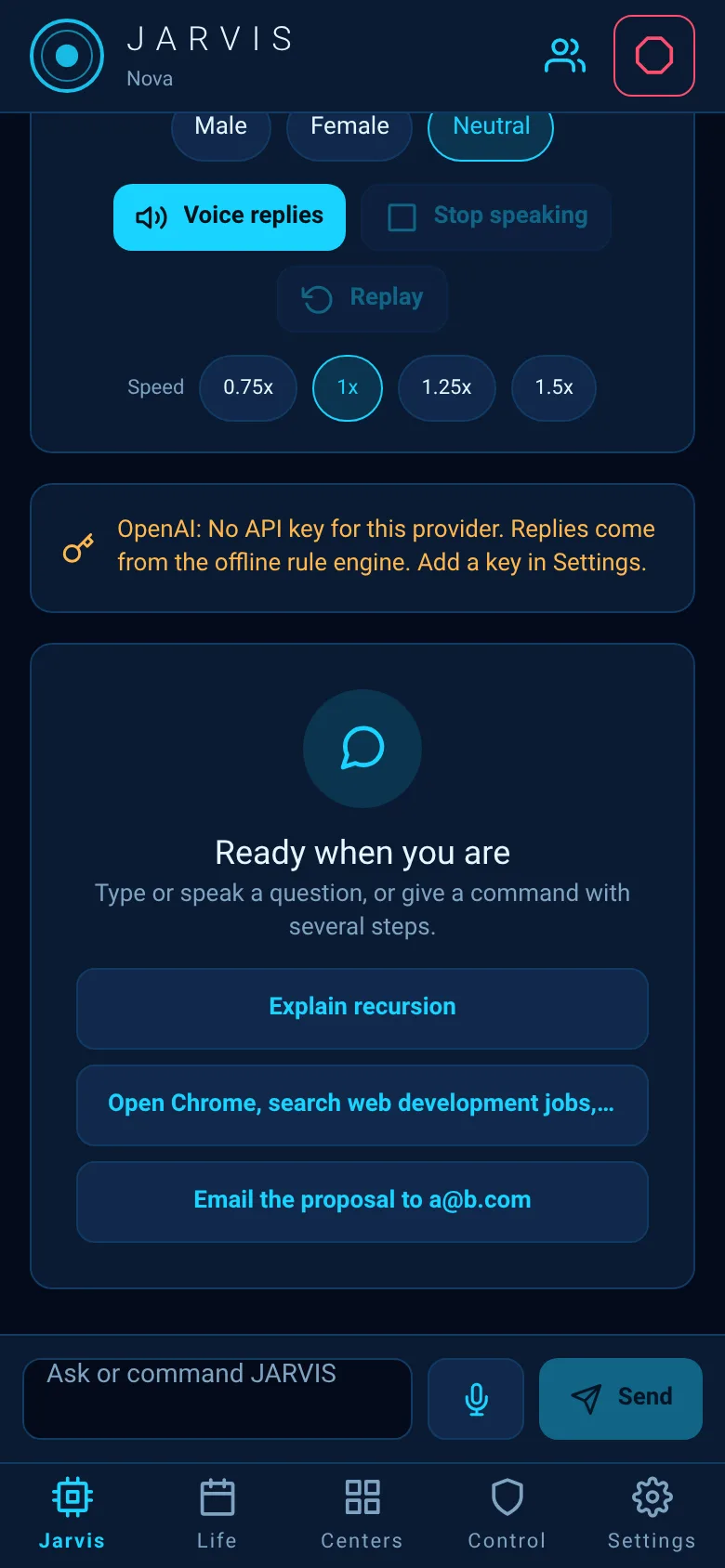
Keeping track of daily tasks, client information, and work schedules often means juggling multiple apps and notes. JARVIS Command Center brings everything together on your phone with a voice-first interface. You speak commands, navigate through tabs for your AI assistant, life management, work centers, controls, and settings, and the app handles what comes next—all with a holographic blue design that speaks both English and Urdu.
What it does
JARVIS is an Android command center organized into five main sections: Jarvis for AI tasks, Life for calendar and daily planning, Centers for different work hubs, Control for approvals and permissions, and Settings for preferences. At the top, an animated arc reactor shows whether the app is running or stopped. You can pause and resume voice output, trigger an emergency stop to halt all tasks, and switch to a client portal mode to view only one client's records. The app speaks to you, responds to voice, and remembers your language preference.
Key features
- Voice control and speech feedback Pause, resume, or stop speech output mid-conversation; the app tells you what it is doing.
- Five-tab command center Jump between Jarvis AI, Life calendar, Centers hubs, Control approvals, and Settings in one place.
- Client portal mode Lock the view to a single client's records; exiting requires your PIN.
- Bilingual interface Full support for English and Urdu, with right-to-left text layout for Urdu.
- Emergency stop One tap halts all running tasks; tap Resume to continue.
- Approval tracking See pending approvals at a glance; a badge shows the count on the Control tab.
How to use it
- Open JARVIS and choose your language in Settings.
- Tap the Jarvis tab to start using voice commands or manage AI tasks.
- Swipe through Life, Centers, Control, and Settings tabs to view and manage different areas.
- Tap the users icon to open a client and enter portal mode.
- Use the emergency stop button in the header if you need to pause all tasks immediately.
Who it’s for
Busy professionals, freelancers, and business owners who manage multiple clients or daily tasks on Android and want a voice-first way to stay organized. It is designed for English and Urdu speakers.
What’s new in this version
The app was built as a secure modular Android assistant with a futuristic blue holographic interface, full Urdu and English support with right-to-left layout, voice controls, an AI center, and client portal mode for secure single-client access.
The app’s share card (1200×630)
Questions and answers
How do I start using JARVIS?
Open the app, pick your language in Settings (English or Urdu), then tap the Jarvis tab. You can speak commands or navigate using the five main tabs at the bottom.
Does JARVIS save my progress?
Yes. The app saves your language choice, client portal mode, and all data you create in its different centers. If you reload the app, your state is restored.
What is client portal mode?
Client portal mode locks the app to show only one client's records. To exit, you must enter your PIN. Use it to safely hand your phone to a client or colleague who needs to see only their data.
Can I pause the voice output?
Yes. When JARVIS is speaking, a voice bar appears at the top. Tap Pause to stop speech (not supported on all Android devices), Resume to continue, or Stop to cancel. The emergency stop button in the header also stops all speech and tasks.
More productivity apps
- Historial Clínico Pet · Sistema para registrar y gestionar el historial médico completo de perros y gatos: vacunas, visitas, tratamientos, peso y avisos de vencimiento.
- Icebreakers · Swipe through fun, deep, work, and family icebreaker questions and save your favorites for parties and teams.
- Pitch Timer · Write cue cards, pick a 30/60/90-second timer, and rehearse your pitch with haptics and per-card timing feedback.
- Sun Arc · See the sun's arc across the sky for any latitude and day, with sunrise, sunset, day length, and golden hour windows.
- Big Text · Flash giant text across a room in auto-fit or scrolling marquee mode, with color themes and a gentle blink for safety.
- Shot List · Plan video scenes with shot cards, durations, and location tags. Check off shots as you film to track progress.