Mobile app · Productivity
Pitch Timer: write cards, rehearse on the clock, see your timing
A minimal tool to build and drill your pitch with visual pacing marks and per-card time reporting.
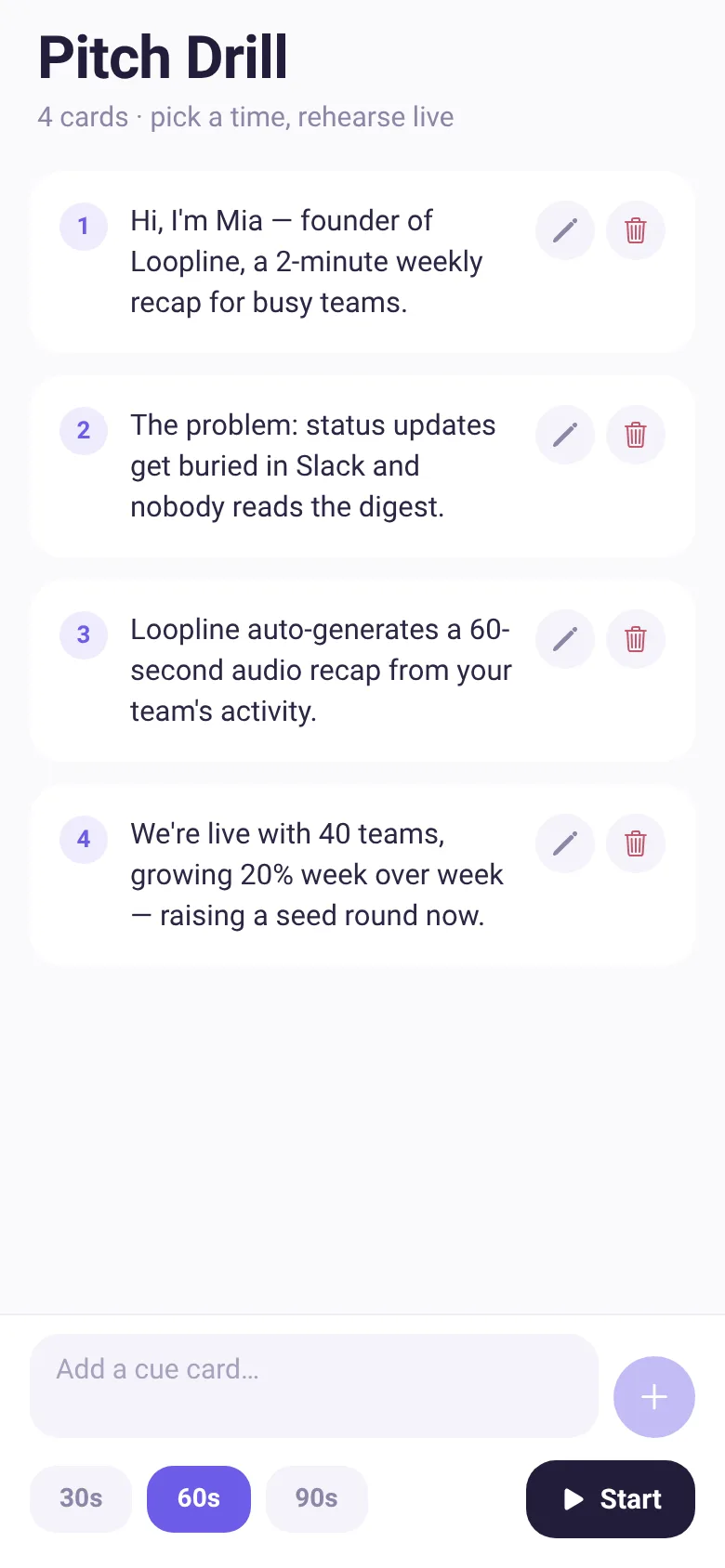
Pitching to investors or new contacts is hard when you lose track of time or skip over key points. Pitch Timer gives you a lightweight way to write down the points you need to cover, then rehearse them within a set window—30, 60, or 90 seconds. The app uses haptic taps to signal when you should move to the next card, shows you how much time is left in your slot, and tells you afterward exactly how long you spent on each card so you can even out your pace.
What it does
You open the app, type each point of your pitch as a separate cue card, then pick your total time budget. Hit Start and the timer counts down while showing you the current card. The app taps your phone at each card boundary and displays a progress bar with markers. When time runs out, you see a full report: how many seconds you spent on each card, which ones ran long or short, and your total time against the target.
Key features
- Cue card editor Write, edit, or delete individual cards to build the flow of your pitch.
- Three time options Choose 30, 60, or 90 seconds and the app divides time evenly across all your cards.
- Live pacing signals Haptic taps and a progress bar with slot markers show you when to move to the next card in real time.
- Per-card timing report After your run, see how long you actually spent on each card and whether you ran long, short, or on pace.
- Drill multiple times Run again from the results screen to practice the same pitch and improve your consistency.
How to use it
- Write your first cue card in the input field and tap the plus button to add it.
- Add more cards until you have all your key points listed in order.
- Pick your pitch length: 30, 60, or 90 seconds.
- Tap Start and read each card aloud; your phone will tap you when to move to the next one.
- When time runs out, review your per-card timing and tap Run again to drill.
Who it’s for
Anyone who pitches: founders raising money, sales professionals, job candidates, or anyone who wants to rehearse a timed speech and nail the pacing.
The app’s share card (1200×630)
Questions and answers
How do I start a practice session?
Add at least one cue card, choose your time limit (30, 60, or 90 seconds), and tap Start. The app will display each card in order and advance through them as time passes.
Does the app save my pitch?
Your cue cards stay in the app between sessions, so you can drill the same pitch multiple times without retyping.
How does the timing work?
The app divides your chosen time equally among all cards—so if you have four cards and pick 60 seconds, each card gets about 15 seconds. The app taps your phone and advances to the next card when that slot ends. The final report shows exactly how long you spent on each one.
Can I use this on my phone?
Yes, Pitch Timer is a mobile app for iOS and Android that works on phones of any size.
More productivity apps
- Historial Clínico Pet · Sistema para registrar y gestionar el historial médico completo de perros y gatos: vacunas, visitas, tratamientos, peso y avisos de vencimiento.
- Icebreakers · Swipe through fun, deep, work, and family icebreaker questions and save your favorites for parties and teams.
- Sun Arc · See the sun's arc across the sky for any latitude and day, with sunrise, sunset, day length, and golden hour windows.
- Big Text · Flash giant text across a room in auto-fit or scrolling marquee mode, with color themes and a gentle blink for safety.
- Shot List · Plan video scenes with shot cards, durations, and location tags. Check off shots as you film to track progress.
- Tally Counter · Track multiple named counts with big tap targets, haptics feedback, and one-tap undo on reset.