Web app · Money
Savings Jar
Set a savings goal and watch a coin-filled jar grow with every deposit you log.
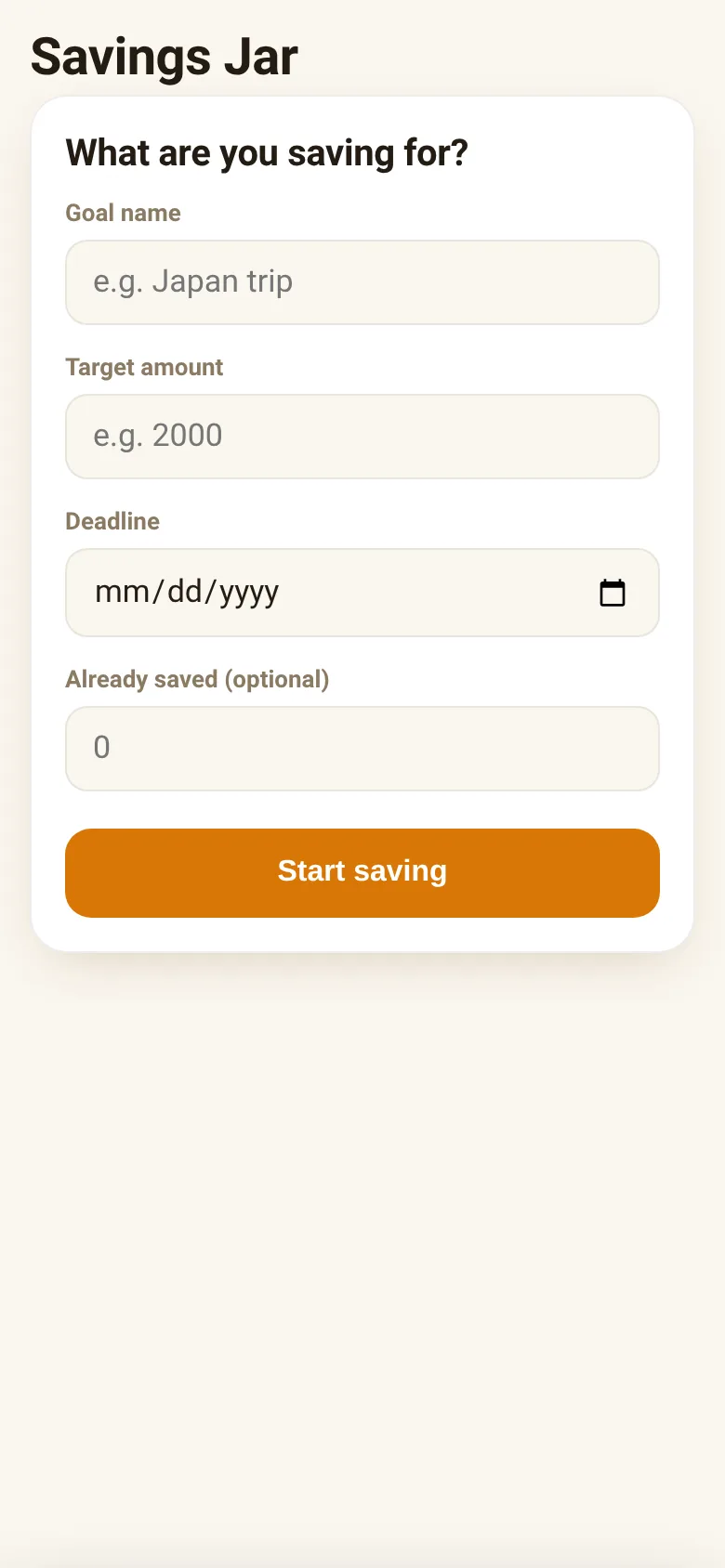
Saving for something specific feels abstract until you can see your progress. Savings Jar turns your goal into a visual jar that fills as you deposit money. You set a name, target amount, and deadline, then drop in deposits whenever you save. The app shows you exactly how much you need to save each week to hit your deadline, celebrates milestones at 25, 50, 75, and 100 percent, and keeps a history of every deposit.
What it does
When you open the app, you name your goal, enter a target amount and deadline, and optionally add money you have already saved. The app displays an animated jar that fills proportionally as you log deposits. On the main screen, you see the goal name and deadline, the current savings as a percentage and dollar amount, how much you need to save per week to meet your deadline, and days remaining. A milestone message appears as you reach 25, 50, 75, and 100 percent. Below the jar is a complete history of every deposit with dates and optional notes, and each deposit can be deleted.
Key features
- Visual jar fill Watch the jar fill gradually as you add deposits, with the fill level showing your progress toward the goal.
- Weekly savings target The app calculates and displays how much you need to save each week to reach your target by the deadline.
- Milestone messages Receive encouraging messages when you reach 25, 50, 75, and 100 percent of your goal.
- Deposit history View all your deposits with dates, optional notes, and the ability to delete any deposit.
- Edit goal anytime Tap the pencil button to change your goal name, target, or deadline without losing your deposit history.
- Offline storage All goals and deposits are saved locally in your browser and work without an internet connection.
How to use it
- Enter your goal name, target amount, and deadline on the setup screen.
- Optionally add any amount you have already saved.
- Tap 'Start saving' to create your goal and see the empty jar.
- Tap the 'Add deposit' button each time you save money, enter the amount, and optionally add a note.
- Watch the jar fill and check the weekly amount needed to stay on track.
Who it’s for
Anyone saving toward a specific goal, from a vacation to a down payment, who wants a visual way to track progress and stay motivated.
The app’s share card (1200×630)
Questions and answers
Will my goal and deposits be saved if I close the app?
Yes. All your data is saved automatically in your browser's local storage. When you return, your goal and deposit history will be exactly as you left it.
Can I change my goal after I create it?
Yes. Tap the pencil icon in the top right to edit your goal name, target amount, or deadline. Your deposit history stays intact.
Can I delete a deposit if I made a mistake?
Yes. In the deposit history at the bottom, tap the X button next to any deposit to remove it. The jar fill will adjust immediately.
Does this work on my phone?
Yes. Savings Jar is a web app designed to work on any device with a modern browser, including phones and tablets.
More money apps
- Budget Envelopes · Track spending across monthly budget envelopes like groceries and transport. Add expenses with a quick keypad and watch animated fill levels show how much you
- Group Expenses · Add shared expenses with friends and see the fewest transfers needed to settle up. Balances update live for everyone.
- Offer Compare · Compare job offers side by side by salary, bonus, equity, benefits, commute and remote work. See weighted scores and radar charts.
- Watt Meter · Add your appliances and see how much electricity they cost daily, monthly, and yearly. Get ranked costs and savings tips.
- Meeting Cost · Set attendees and hourly rate, start the timer, and watch a live odometer tally what the meeting is costing in real time.
- Subscription Audit · List your subscriptions with prices and usage. See monthly and yearly totals, spending by category, and how much you'd save by cancelling the ones you pick.