Mobile app · Tools & utilities
Security Review
Conduct and document a read-only security review of a candidate build, record findings by area, and generate a clear verdict report.
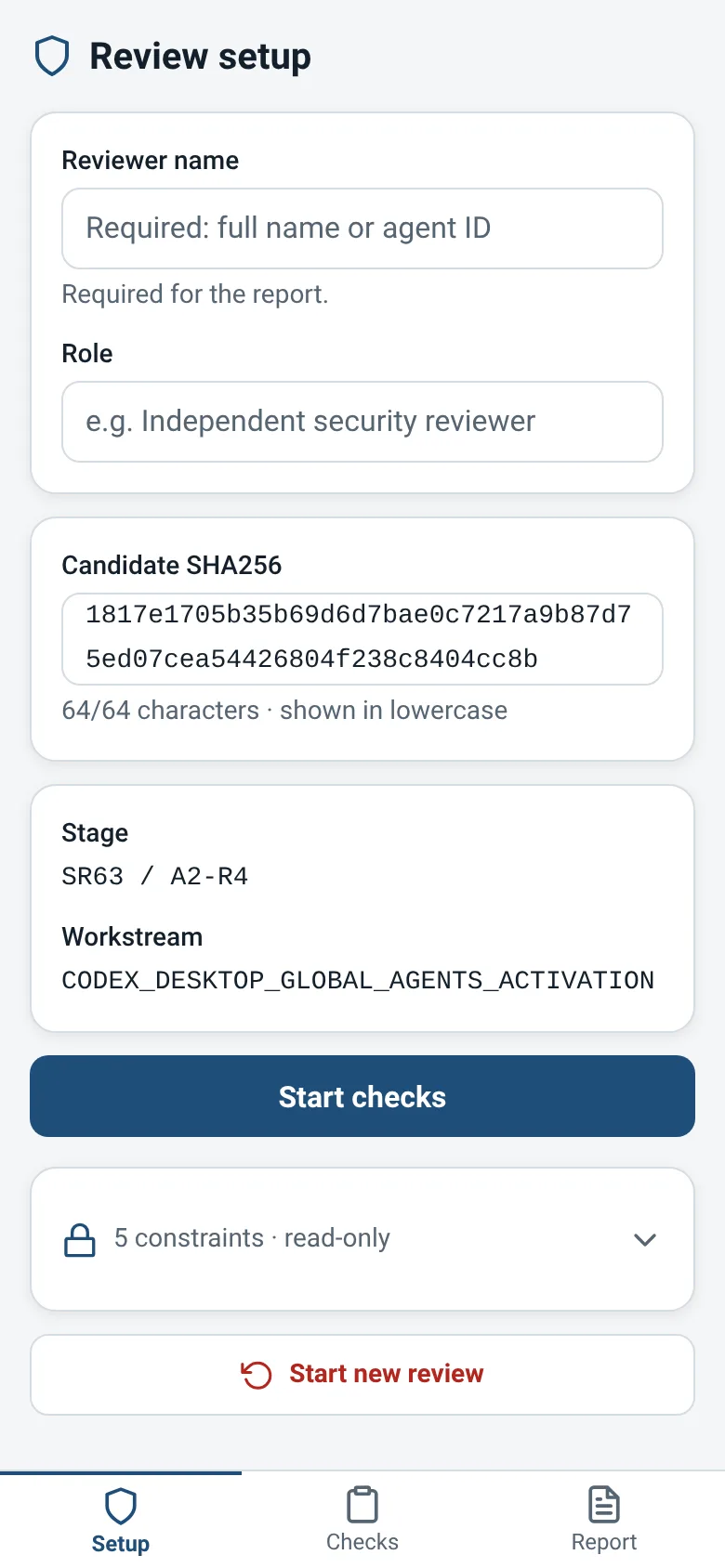
Security reviewers need a structured way to assess a build, document their findings, and produce a clear verdict without accidentally modifying what they are reviewing. Security Review guides you through three phases on your phone: set up the areas to verify, record findings for each area with severity levels and evidence, and view a final PASS, FAIL or BLOCKED report. Everything stays local on your device.
What it does
You start by setting up security review areas, each with a specific prompt of what to verify. For each area, you choose a status (Pass, Fail, Blocked, or Unassessed) and add findings with a title, severity level, description, and references to evidence like artifact paths or test names. The app tracks your progress across all areas and generates a summary report showing the overall verdict, conflicting decisions, and any areas that remain incomplete.
Key features
- Setup areas to review Define the security areas you will assess, each with a prompt of what to verify.
- Record findings by severity Add findings to each area with title, description, severity level (Critical, High, Medium, Low, Info), and evidence references.
- Set area status Mark each area as Pass, Fail, Blocked, or Unassessed, with an optional summary note or reason.
- Conflict detection The app alerts you if an area is marked Pass but contains Critical or High findings, automatically downgrading the verdict to FAIL.
- Summary report View a final report showing the overall verdict, flagged conflicts, and any incomplete areas.
How to use it
- Open the Setup tab and define the security review areas you need to assess.
- Move to the Checks tab and select an area to begin reviewing.
- Set the status for that area and add findings with severity, description, and evidence references.
- Return to Checks and repeat for all remaining areas.
- Switch to the Report tab to see your overall verdict and any conflicts.
Who it’s for
Security reviewers and auditors who need to conduct structured, read-only assessments of software builds and document their findings on mobile devices.
The app’s share card (1200×630)
Questions and answers
Does the app modify the build I am reviewing?
No. Security Review is read-only and isolated; it only records your assessment and findings on your phone. It does not touch the candidate build.
Does my review save if I close the app?
Yes. Your review data is stored locally on your phone and persists when you reopen the app.
What does a FAIL verdict mean?
FAIL means at least one area is marked Fail, or an area marked Pass contains Critical or High severity findings. BLOCKED means all areas are either Blocked or Unassessed. PASS means all areas are Pass with no high-severity conflicts.
Can I share my review report?
Currently the app shows the report on screen. You can read it and take notes, but export and sharing are not yet built in.
More tools & utilities apps
- Historial Clínico Pet · Sistema para registrar y gestionar el historial médico completo de perros y gatos: vacunas, visitas, tratamientos, peso y avisos de vencimiento.
- Icebreakers · Swipe through fun, deep, work, and family icebreaker questions and save your favorites for parties and teams.
- Pitch Timer · Write cue cards, pick a 30/60/90-second timer, and rehearse your pitch with haptics and per-card timing feedback.
- Sun Arc · See the sun's arc across the sky for any latitude and day, with sunrise, sunset, day length, and golden hour windows.
- Big Text · Flash giant text across a room in auto-fit or scrolling marquee mode, with color themes and a gentle blink for safety.
- Shot List · Plan video scenes with shot cards, durations, and location tags. Check off shots as you film to track progress.