Mobile app · Health & fitness
Yoga Flow: guided 12-pose beginner sequence
Follow a timed flow of 12 beginner poses with visual guides, a progress ring, and haptic cues.
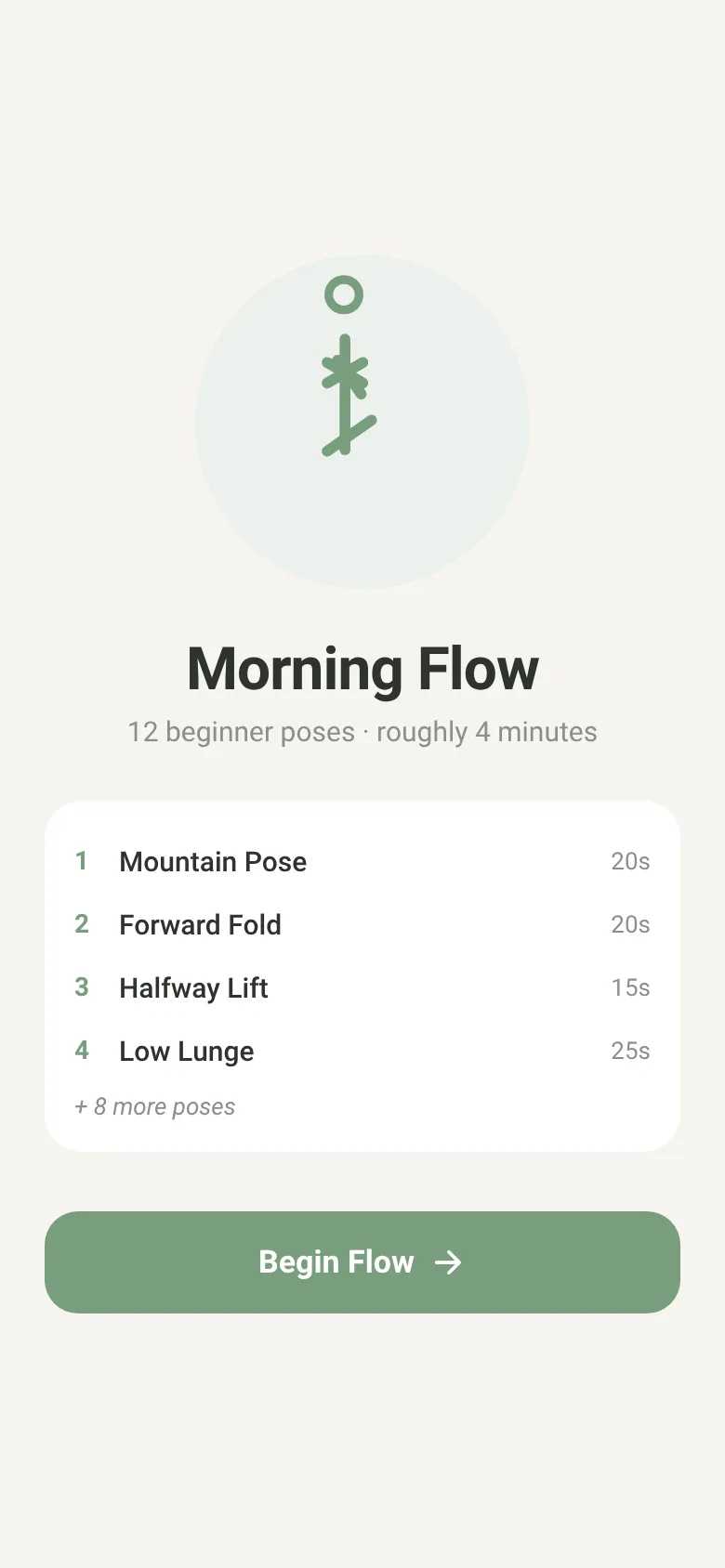
Many people want to start yoga but need structure and clear instruction. Yoga Flow guides you through a complete 12-pose beginner sequence, each pose timed and shown with a simple drawn figure. You hold each pose while a progress ring fills, and the app gently vibrates and shows the next pose coming up. The whole flow takes about 4 minutes, designed for mornings or anytime you want a calm movement session.
What it does
When you start, you see the pose name and a drawn stick figure showing the position. A large progress ring fills as time passes for that pose. Below are pause and skip buttons to control your pace. A card at the bottom previews the next pose and its duration. Each pose transitions with a haptic pulse. After the final 30-second corpse pose, you see a completion screen.
Key features
- 12 timed beginner poses Mountain, forward fold, halfway lift, low lunge, plank, cobra, downward dog, warrior II, triangle, tree, twist, and corpse pose, each with a set hold duration.
- Progress ring A circular filled ring shows how much time remains in the current pose, filling from empty to full.
- Simple drawn pose figures Each pose is illustrated with a minimal stick figure made from drawn lines, not photographs or complex graphics.
- Next-pose preview A card below shows the name and duration of the pose coming next, so you can prepare mentally.
- Pause and skip controls Tap pause to hold a pose longer, or skip to move to the next pose immediately.
- Gentle haptic feedback The phone vibrates softly when you transition to a new pose and when you finish the entire flow.
How to use it
- Open the app and read the intro screen showing the first four poses.
- Tap Begin Flow to start the 12-pose sequence.
- Hold each pose while watching the progress ring fill and the timer count down.
- Pause or skip poses using the buttons if needed.
- After the final corpse pose, see your completion message and tap Flow Again to repeat.
Who it’s for
Beginners new to yoga who want a short, guided, timed flow they can do on their phone. Works well for morning routines or quick movement breaks at any time of day.
The app’s share card (1200×630)
Questions and answers
Does the app save my progress?
No. Each time you start, you begin at pose one. The app is designed for a fresh flow each time rather than tracking progress across sessions.
Can I adjust how long I hold each pose?
No. Each of the 12 poses has a set hold duration (ranging from 15 to 30 seconds). You can pause the timer if you need more time, or skip to move forward.
Does it work offline?
Yes. Yoga Flow runs entirely on your phone with no internet connection needed.
Can I listen to music or sounds during the flow?
No. The app provides haptic pulses and visual cues only, leaving you free to add your own music if you wish.
More health & fitness apps
- Walkies · Time your dog's walks, log pee and poop stops, and track daily walk minutes toward your goal. Simple, quick, and built for busy dog owners.
- Run Club · Post your runs with distance and time, see pace calculated instantly, and track the club's weekly total and leaderboard together.
- Pushup Challenge · Log daily push-ups, compete on a shared leaderboard, and help your group reach 10,000 reps together in 30 days.
- Jet Lag Plan · Enter your flight and time zones to get a day-by-day schedule of when to seek light, avoid light, sleep and have caffeine.
- Desk Stretch · A guided 4-minute desk stretch routine with six moves, a countdown timer, and a daily completion streak tracker.
- Plate Loader · Enter your target weight and select which plates you own. The app shows you exactly which plates to load on each side and generates a warm-up ladder.