Mobile app · Kids
Baby Log: track feeds, naps, and diapers today
Start and stop timers for feeds and naps, tap to log wet and dirty diapers, and see your day's totals and time since the last feed.
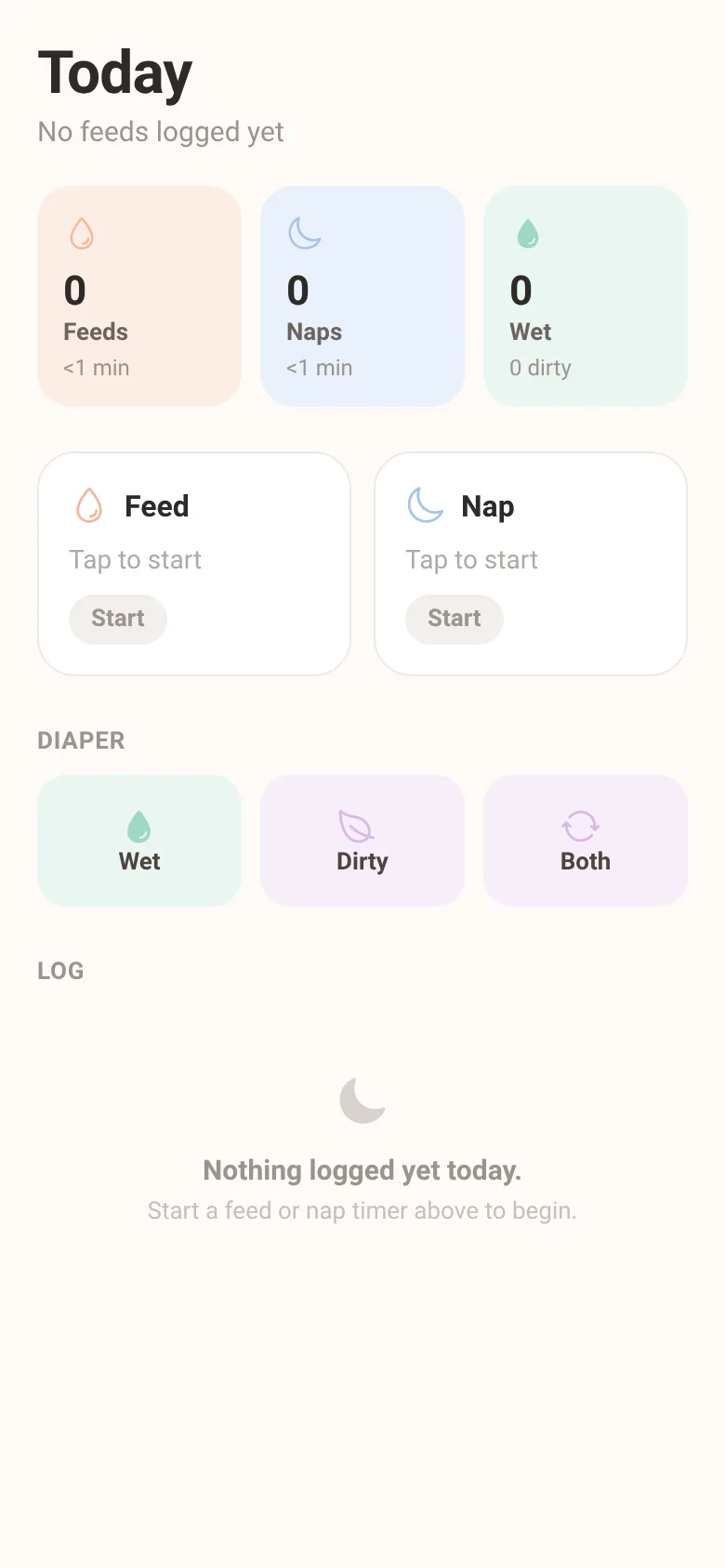
New parents juggle many tasks and need a fast way to remember when the baby ate, slept, or needed a diaper change. Baby Log gives you simple timers for feeds and naps that you start and stop with one tap, quick buttons to log wet or dirty diapers instantly, and a summary view at the top showing today's counts and durations. Everything stays on one screen with a soft, easy-on-the-eyes pastel design.
What it does
Open the app to see today's totals: number of feeds and naps with total time, wet and dirty diaper counts, and time since the last feed. Start a feed or nap timer by tapping the button; the timer counts up in the button itself. Tap again to stop and save the event. Below, three quick diaper buttons log wet, dirty, or both with one tap each. All logged events appear in a scrolling list with times and durations; swipe or tap the X to delete any entry. Data stores on your phone for today.
Key features
- Start/stop timers Press Feed or Nap to start a timer that counts up on screen; press again to save the session with its duration.
- Quick diaper log Three one-tap buttons log wet, dirty, or both instantly without opening extra screens.
- Today's summary Cards at the top show feed count and total time, nap count and total time, and wet and dirty diaper counts at a glance.
- Time since last feed The subtitle always displays how long ago the most recent feed ended, or notes if no feeds are logged yet.
- Event log A scrolling list shows every logged event for today with time, type, and duration; delete any entry with one tap.
- Soft pastel design Warm cream background and soft colors for feeds, naps, and diapers make the app easy on the eyes during late-night logging.
How to use it
- Open the app to see today's summary cards and two timer buttons.
- Tap Feed or Nap to start a timer; the clock appears in the button and counts up each second.
- Tap the same button again to stop and save the session with its total duration.
- Tap Wet, Dirty, or Both below to log a diaper change instantly; it appears in the log.
- Scroll down to see all events for today; tap the X on any entry to delete it.
Who it’s for
Parents and caregivers of newborns and young infants who need a simple, fast way to log feeding, sleep, and diaper changes throughout the day.
The app’s share card (1200×630)
Questions and answers
Does the app save my data after I close it?
Yes. All events logged today are saved on your phone. The app shows only today's data; it resets at midnight.
Can I use this on my phone?
Yes. Baby Log runs on iOS and Android phones. It is optimized for one-handed use during busy parenting moments.
Can I run two timers at once, like feed and nap together?
No. Only one timer can run at a time. Tap the active timer's button to stop it before starting another.
How do I undo a mistake or delete a logged event?
Scroll to the log at the bottom and tap the X button next to any event to remove it.
More kids apps
- Pesca Tranquila · Juego de pesca sin apuros donde lanzás, recogés peces, completás tu álbum de especies y mejorás tu equipo.
- Shape Sorter · A toddler game where kids drag colorful shapes into matching holes, with bouncy animations, haptics, and a celebration when all shapes are sorted.
- ABC Explorer · Swipe through big letter cards with emoji words, then play a game to find matching letters. For children learning their ABCs.
- Home Upkeep · Track seasonal home maintenance tasks with due dates, haptic feedback, and a yearly progress ring to stay on top of filters, gutters, smoke alarms, and water
- Neighborhood Board · A shared noticeboard where neighbors post offers, requests, events and lost & found items that auto-expire after 14 days.
- Family Chores · Claim household chores for points, race the weekly leaderboard, and work together toward a family reward goal.