Web app · Learning
Kana Drill
Pick hiragana or katakana rows, choose your quiz mode, and watch your mastery grid fill in as you drill.
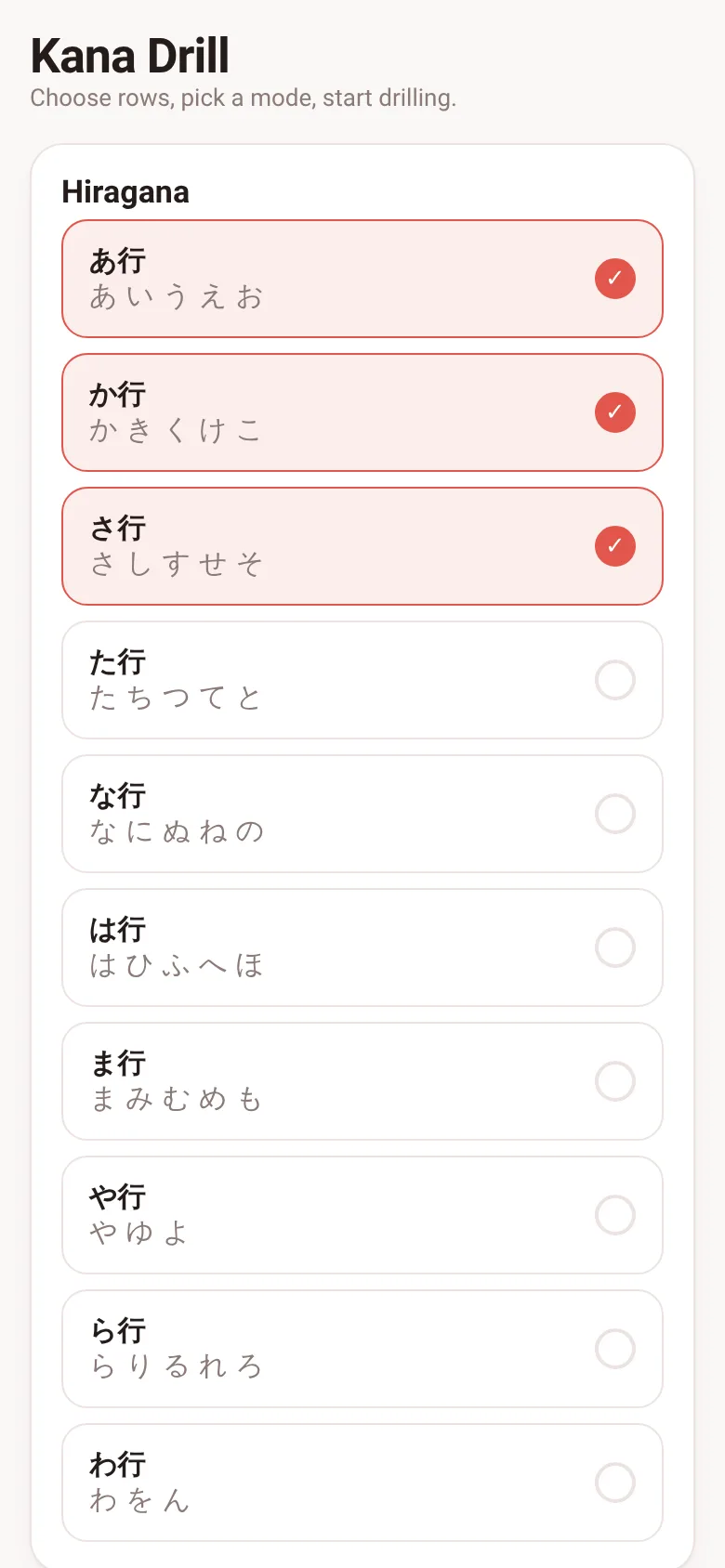
Learning Japanese kana means drilling the same characters until they stick. Kana Drill lets you select exactly which rows you want to practice, then asks you to recognize or type them. As you answer questions, the app tracks your progress on each character—showing you what you know, what you are learning, and what you have mastered. You can switch between multiple-choice and typing modes anytime.
What it does
Start by selecting one or more hiragana or katakana rows from the setup screen. Pick either multiple-choice mode, where you tap the right romaji, or typing mode, where you type it. The app then shows you characters one by one from your selected rows, shuffling them continuously. After each answer, your mastery for that character updates: correct answers move it toward mastery, wrong ones reset it slightly. A grid at the top shows all selected characters color-coded by your mastery level, filling in as you progress.
Key features
- Row selection Choose any combination of the ten hiragana and ten katakana rows, or drill just one row at a time.
- Two quiz modes Multiple-choice mode shows four romaji options; typing mode lets you type the answer and press Enter or tap Check.
- Mastery tracking Each character has a level shown by color in the grid: new, learning, good, or mastered; correct answers raise it, wrong ones lower it.
- Continuous shuffling Characters cycle through your selected pool in random order, so you never drill in sequence.
- Saves your progress Your selected rows, mode choice, and mastery level for each character are saved in your browser.
How to use it
- Tap rows under Hiragana or Katakana to select which ones you want to drill.
- Choose either Multiple choice or Type rōmaji mode.
- Tap Start to begin; the app will show you characters one by one.
- In multiple-choice mode, tap the right romaji; in typing mode, type it and press Enter.
- Watch your mastery grid fill in as you get answers right.
- Tap the X button to stop and return to setup.
Who it’s for
Anyone learning Japanese who wants to memorize hiragana and katakana through short, focused drill sessions. Works for complete beginners and those reviewing before moving to more complex study.
The app’s share card (1200×630)
Questions and answers
Do I have to pick all rows at once?
No. You can select any rows you want—start with just one or two if you prefer, and add more later.
Does the app save my progress?
Yes. Your selected rows, mode choice, and the mastery level of each character are saved in your browser automatically.
Can I use this on my phone?
Yes. It works on any device with a web browser and is designed to fit any screen size.
What do the colors in the mastery grid mean?
Gray is new (no answers yet), light color is learning, medium is good, and full color is mastered. Correct answers move a character toward mastery; wrong ones move it back.
More learning apps
- ABC Explorer · Swipe through big letter cards with emoji words, then play a game to find matching letters. For children learning their ABCs.
- Vocab Swipe · Swipe French vocabulary cards to master them. Tap to flip, swipe right to mark as known, left to review later, and watch your progress in real time.
- Interview Bank · Post and upvote real interview questions by role and type. Mark questions you were asked to build your prep list.
- Study Hours · Log study sessions by subject and minutes. See your group's weekly hours, leaderboard, and a heatmap of the busiest study days.
- Interview Prep · Practice 30 behavioral interview questions, structure your answers using the STAR method, time yourself speaking, and save your responses for review.
- Percent Pal · Answers common percentage questions like X% of Y, what % is X of Y, percentage change, and stacked discounts. Each answer includes a plain explanation.