Web app · Learning
Master 25 Spanish verbs with conjugation drills
Type the correct form of Spanish verbs across three tenses, get instant feedback, and review the conjugations you miss most.
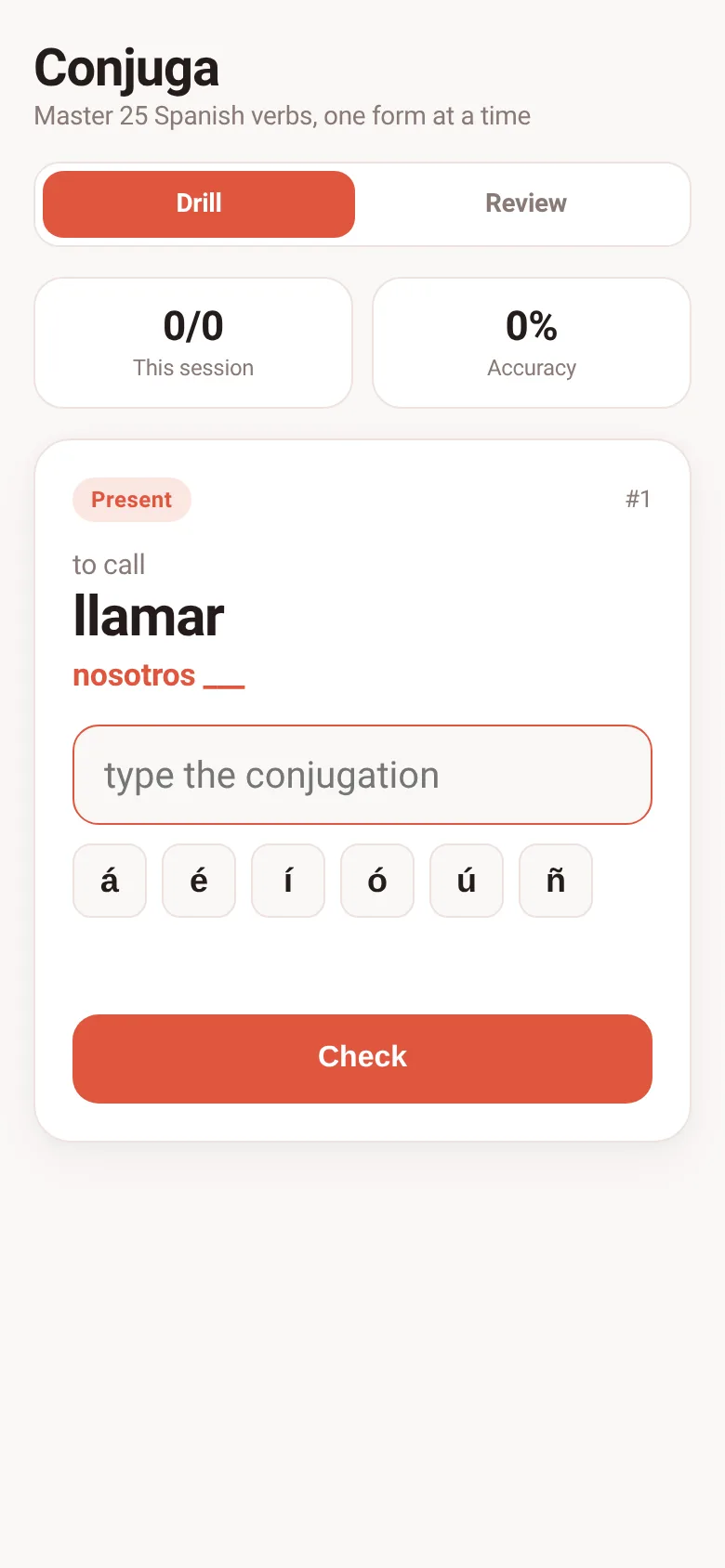
Learning Spanish verb conjugations means practicing the same forms over and over until they stick. Conjuga shows you a verb, a pronoun, and a tense, and you type the conjugation. It checks your answer right away, highlights your mistakes, and keeps a list of the verbs that trip you up most so you can focus your practice.
What it does
You see a Spanish verb (like hablar), a pronoun (like tú), and a tense (present, preterite, or future). You type the conjugated form into a text box. Buttons for accents (á, é, í, ó, ú, ñ) sit below the input so you can type Spanish characters easily. When you press Check or Enter, the app tells you if you are right or wrong and shows the correct answer if you missed it. Your session score updates as you go. In the Review tab, you can see which 25 verbs you have missed most often, sorted by error rate.
Key features
- Three tenses at once Drills mix present, preterite, and future randomly so you practice switching between them.
- Accent helper buttons Click á, é, í, ó, ú, or ñ to insert accents without hunting for keyboard shortcuts.
- Instant feedback Every answer shows whether you are correct and displays the right form if you miss it.
- Weak verb review A list ranks the 10 verbs you miss most by error rate and count of mistakes so you know what to drill.
- Session tracking Displays your score and accuracy percentage for the current session.
- Progress saved Your mistake counts and statistics persist in your browser so they build over many sessions.
How to use it
- Open the app and you will see a prompt with a Spanish verb, an English meaning, a pronoun, and a tense.
- Type the conjugated form in the input box; use the accent buttons if you need á, é, í, ó, ú, or ñ.
- Press Check or Enter to see if your answer is correct.
- Press Next verb or Enter again to move to the next conjugation.
- Switch to the Review tab to see which verbs you have missed most and focus your practice there.
Who it’s for
Spanish learners who want to drill verb conjugations in present, preterite, and future tenses and track which verbs they struggle with most.
The app’s share card (1200×630)
Questions and answers
How do I type accents?
Click the accent buttons (á, é, í, ó, ú, ñ) below the input box to insert them at your cursor position. You can also use your keyboard if you have a way to type Spanish characters.
Does the app save my progress?
Yes. Your scores and mistake counts are saved to your browser's local storage, so your stats and weak verb list persist across sessions.
Can I use this on my phone?
Yes. The app works on any device with a web browser and adapts to different screen sizes.
How many verbs does it drill?
The app drills 25 common Spanish verbs, including regular verbs (hablar, comer, vivir) and high-frequency irregular verbs (ser, estar, tener, ir, poder, and others).
More learning apps
- ABC Explorer · Swipe through big letter cards with emoji words, then play a game to find matching letters. For children learning their ABCs.
- Vocab Swipe · Swipe French vocabulary cards to master them. Tap to flip, swipe right to mark as known, left to review later, and watch your progress in real time.
- Interview Bank · Post and upvote real interview questions by role and type. Mark questions you were asked to build your prep list.
- Study Hours · Log study sessions by subject and minutes. See your group's weekly hours, leaderboard, and a heatmap of the busiest study days.
- Interview Prep · Practice 30 behavioral interview questions, structure your answers using the STAR method, time yourself speaking, and save your responses for review.
- Percent Pal · Answers common percentage questions like X% of Y, what % is X of Y, percentage change, and stacked discounts. Each answer includes a plain explanation.