
JetBrains plugin
Control JetBrains AI agents from IntelliJ, PyCharm, GoLand, WebStorm and more.

- IntelliJ-family 2024.1+
- JetBrains Marketplace plugin

- JetBrains' agentic tool
- Streams to your phone
- All IntelliJ-family IDEs
- "Pair Device" action
JetBrains IDEs — IntelliJ IDEA, WebStorm, PyCharm, Rider, GoLand, RubyMine, PhpStorm, and other IntelliJ-family IDEs (2024.1 and newer) — get first-party mobile control via a dedicated plugin from the JetBrains Marketplace. It forwards prompts to JetBrains AI Assistant or Junie and streams the response back to your phone.
A dedicated plugin, not a workaround — install from the JetBrains Marketplace like any other plugin.
Forwards prompts to JetBrains AI Assistant or Junie (JetBrains' agentic workflow tool) and streams replies back.
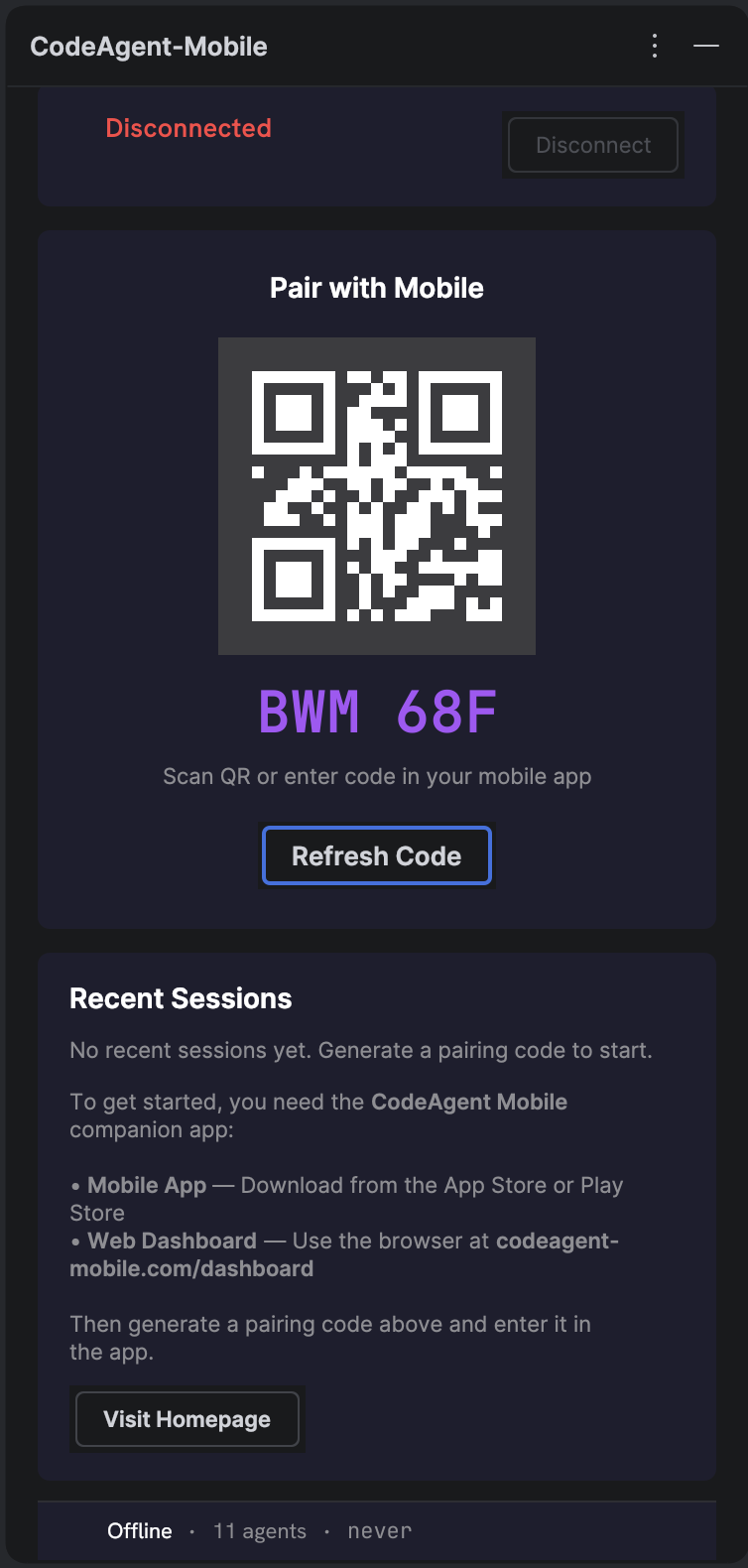
Run "CodeAgent: Pair Device" to get a 6-character pairing code, same flow as the other clients.
A tool window shows the pairing flow and live agent status inside the IDE.
- 1Install the plugin
Get it from the JetBrains Marketplace for your IDE (2024.1 or newer).
- 2Run "Pair Device"
Trigger the "CodeAgent: Pair Device" action to get a 6-character code.
- 3Enter the code
Open the mobile app or web dashboard and enter the code within 5 minutes.
- 4Send prompts
Type or speak from the phone — the plugin forwards to AI Assistant or Junie and streams the reply back.
FAQ
Related

Ready to try it?